Progress Tracking
The Stats tab gives you a full picture of your training history — how often you train, how your lifts are progressing, and the details of past sessions.
Overview
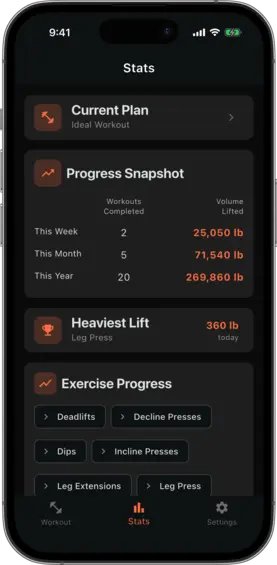
The Stats tab shows:
- A summary card for your active training plan
- Workout frequency — how many sessions you have logged this week, month, and year
- A list of exercises you have tracked, each linking to its progress chart
Exercise progress charts
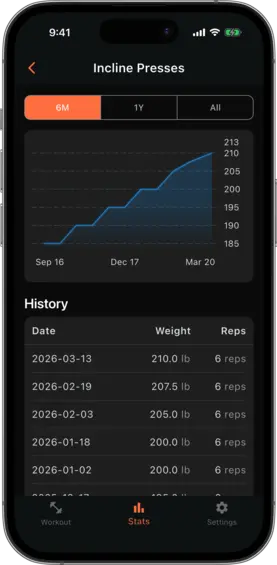
Tap any exercise in the list to open its progress chart. The chart shows your logged weight (or reps) over time, with one data point per logged set.
Use the time period filter at the top to switch between:
- 6 months — recent progress in detail
- 1 year — medium-term trends
- All time — the full history since your first log
Workout log
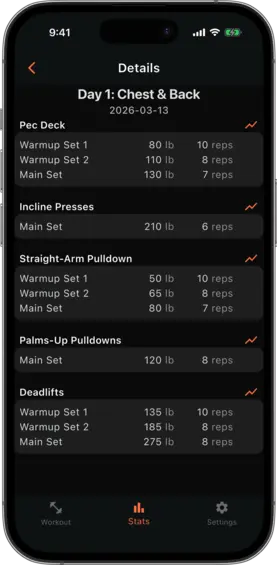
The Stats tab also provides access to your complete workout log — a chronological list of every session you have completed. Tap a log entry to see the full details: every set logged in that session, with the weight and reps you recorded.
From a log entry’s set, you can tap through to that exercise’s progress chart.